 Luxe Themes
5 Best WordPress Alternatives for Bloggers
The five real WordPress alternatives for bloggers — Ghost, static site generators, Squarespace, Webflow, Medium — compared honestly, plus when to stay put.
Quick answer: The best WordPress alternative for bloggers and newsletter publishers is Ghost — newsletters, memberships, SEO, and security built in, no plugin stack. Developers should look at static site generators (Astro, Hugo), design-led sites at Webflow or Squarespace, and writers who just want readers at Medium. Stay on WordPress for e-commerce or complex, plugin-dependent sites. Details below.
Claims and prices verified August 2026 — confirm current figures on each platform’s pricing page.
Why People Look Beyond WordPress
WordPress powers roughly 43% of the web, and “free and open-source” is genuinely true of the software. The frustration is everything around it:
The plugin tax. A blog that wants what modern platforms include by default — SEO tools, security, backups, caching, email — assembles 8–10 plugins on top of hosting. Priced out with mainstream choices (SiteGround, Yoast, Wordfence, UpdraftPlus, WP Rocket, an email service), that stack runs on the order of $1,000 a year, every year, with renewal prices that creep upward.
The maintenance burden. Every plugin needs updates, can conflict with the others, and is a potential attack vector. Patchstack’s 2025 report counted 7,966 new WordPress vulnerabilities discovered in 2024 — 96% of them in plugins, 43% exploitable without authentication. Keeping a WordPress site healthy is a recurring job; on a managed platform it’s nobody’s job, because there’s nothing to patch.
The editor. Gutenberg’s block editor still divides opinion years after launch — the Classic Editor plugin, which exists solely to switch it off, maintains millions of active installs. If you write for a living, fighting the editor is a real cost.
None of this makes WordPress bad. It makes WordPress a general-purpose CMS carrying general-purpose complexity — and if all you do is publish, you’re paying for capability you never use.
The Alternatives at a Glance
| Platform | Model | Newsletters/memberships | Maintenance | Best for |
|---|---|---|---|---|
| Ghost | Open-source publishing platform | Built in, 0% platform fee | None (managed) or minimal (self-host) | Bloggers, newsletters, paid content |
| Astro / Hugo (static) | Static site generator | Via third-party services | You own the build pipeline | Developers, docs, portfolios |
| Squarespace | Hosted website builder | Basic email campaigns, member areas | None | Design-led small sites |
| Webflow | Hosted visual builder + CMS | Via integrations | None | Designers, marketing sites |
| Medium | Hosted network | No list ownership | None | Reach without running a site |
Ghost — Purpose-Built for Publishers
Ghost is what WordPress looks like when you delete everything except publishing and rebuild the rest into the core. Newsletters, paid memberships (through your own Stripe account, 0% platform fee), SEO — sitemaps, structured data, canonical URLs, custom meta — analytics, and managed security all ship built in. There is no plugin system, which sounds like a limitation until you realize it’s the feature: nothing to update, nothing to conflict, nothing to exploit.
It’s also fast by construction. Ghost runs on Node.js and posts competitive load times with zero caching configuration, while WordPress typically needs a caching plugin, a CDN, and image optimization to approach Core Web Vitals targets.
The comparison with the plugin stack is stark: Ghost(Pro) Publisher at $29/month ($348/year) includes hosting, newsletters, memberships, SEO, backups, and a CDN — features that cost roughly three times that assembled on WordPress. Self-hosters can run the open-source version on a cheap VPS instead. The full feature-by-feature breakdown is in our Ghost vs WordPress comparison.
The honest limits: no e-commerce, no page builders, no plugin ecosystem. Ghost does publishing, memberships, and newsletters — if your site is mostly that, it does them better than WordPress; if your site is more than that, keep reading.
Choose Ghost if you’re a blogger or newsletter publisher, especially one monetizing through subscriptions — our overview of why Ghost works as a blog platform walks through the day-to-day. Migration takes an afternoon with Ghost’s WordPress importer — our WordPress to Ghost migration guide covers content, images, and redirects.
Static Site Generators — For Developers
Astro, Hugo, Eleventy, and friends generate plain HTML at build time. The result is the fastest possible website, near-zero hosting costs (static hosts have generous free tiers), and no server to attack or patch — this very site runs on Astro.
The trade-off is that everything dynamic becomes your project: comments, search, forms, and especially newsletters and memberships mean wiring up third-party services. There’s no admin panel unless you add a headless CMS, so non-technical authors are a poor fit.
Choose a static site if you’re comfortable with git and a build pipeline, and your site is content-out rather than interactive. (Want Ghost’s editor with a static front end? Ghost also works headless.)
Squarespace — Design Without the Stack
Squarespace bundles hosting, polished templates, and a visual editor into one flat fee with genuinely nothing to maintain. For a small business site, portfolio, or a blog where the writing is secondary to the presentation, it’s a clean escape from WordPress overhead.
For publishers specifically, it thins out: blogging tools are serviceable but basic, email campaigns cost extra, and membership functionality is limited compared to dedicated platforms — our Ghost vs Squarespace comparison and Squarespace membership breakdown go deeper.
Choose Squarespace if the site is a brochure with a blog attached, not a publication.
Webflow — For Designers
Webflow is a professional visual development tool: designer-grade control over layout and interactions, a capable CMS, and hosted infrastructure. Agencies love it for marketing sites, and it deserves the reputation.
As a blogging platform it’s overkill in one direction and underpowered in the other — the learning curve is real, and newsletters/memberships arrive via integrations rather than built-in. Comparison: Ghost vs Webflow.
Choose Webflow if pixel-level design control is the point and someone on the team already knows it.
Medium — Readers Without a Website
Medium replaces your site rather than your CMS: publish into their network, reach their members, earn from the Partner Program’s engagement pool. Zero setup, zero maintenance — and zero ownership. No email list, no exportable audience, no design control, and income that moves with Medium’s algorithm.
Choose Medium if you want distribution while building a body of work — ideally alongside a platform where you own the list. More in our Medium alternative guide.
When to Stay on WordPress
An honest alternatives guide needs this section. Stay if:
- You sell products. WooCommerce is the reason WordPress runs half the web’s stores; no platform above replaces it.
- You depend on specific plugins — advanced membership logic, LMS/course tools, directory functionality, multilingual via WPML — with no equivalent elsewhere.
- Your team’s workflow is built on it. Page builders, editorial plugins, agency handoffs: switching costs are real.
- The site works and the pain is hypothetical. A migration should solve a recurring, named problem — plugin bills, security incidents, maintenance hours — not scratch an itch.
Which Should You Pick?
- Blogger or newsletter publisher, especially monetizing → Ghost
- Developer who wants speed and control → Astro/Hugo static site
- Small business site with a blog attached → Squarespace
- Design-led marketing site → Webflow
- Just want readers, not a website → Medium (keep a list of your own)
- Store, complex app, or plugin-dependent site → WordPress, genuinely
If You Land on Ghost
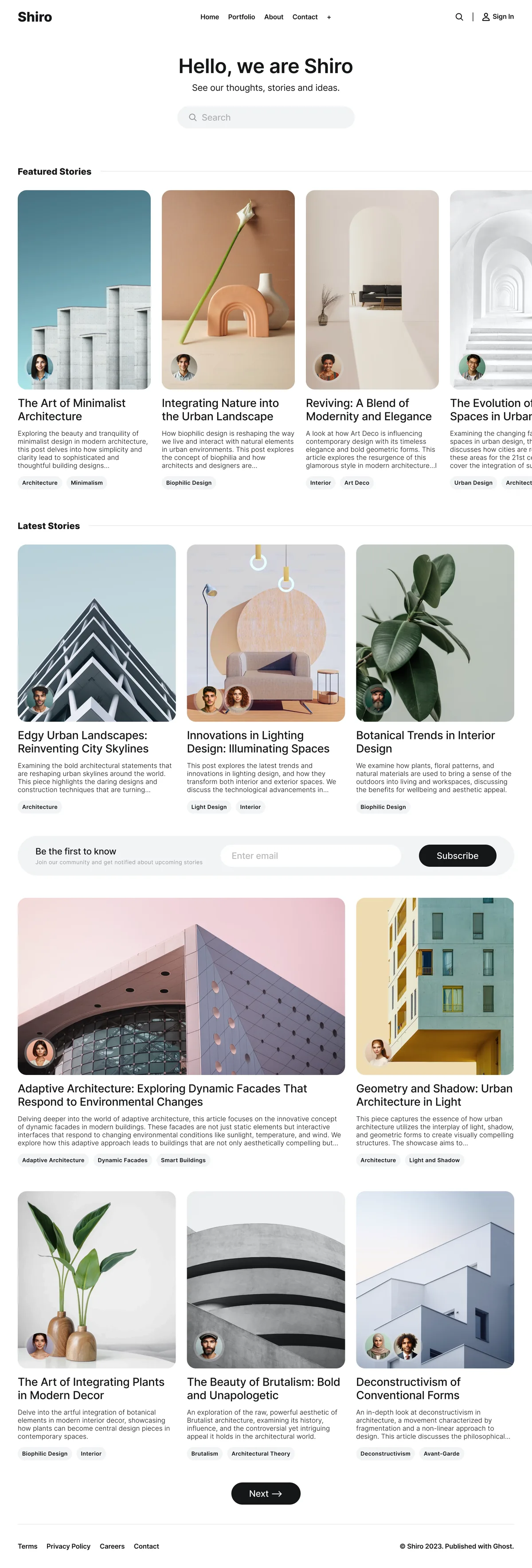
The move is a chance to relaunch with a site that looks designed rather than assembled. Ghost’s theme system delivers what page builders promise with none of the plugin weight — our Shiro theme, for example, ships 7 color schemes, 9 post layouts, custom search, and membership pages with zero plugins involved.
Every Luxe theme includes dark mode, full translation support, and multiple post layouts, starting at $69.
Building memberships specifically? Compare the numbers in our WordPress membership site cost breakdown.
Frequently Asked Questions
What is the best alternative to WordPress?
Why do bloggers leave WordPress?
Is Ghost better than WordPress for blogging?
When should I stay on WordPress?
Keep reading
Ghost vs Kit: Why Creators Are Leaving ConvertKit
Kit raised prices 35% and still has no website or SEO. Ghost gives you newsletters, memberships, a full CMS, and 0% revenue share for $29/mo.
Ghost vs WordPress: Which Is Better for Publishing?
WordPress needs 10 plugins to match what Ghost includes. Compare newsletters, memberships, SEO, security, and true costs for bloggers in 2026.
Why Writers Are Switching from Medium to Ghost
Medium pays most writers under $100/mo and controls your audience. Ghost gives you 100% ownership, direct subscription revenue, and full design control.
6 Best Substack Alternatives, Honestly Compared
The six real Substack alternatives — Ghost, beehiiv, Buttondown, Kit, WordPress, Medium — compared by fees, ownership, and design, with a pick for each case.
Recommended Themes
These themes excel at the features discussed in this article.








Comparing options? Browse all premium Ghost themes side by side.
Get every theme in one bundle
The complete Luxe Themes bundle — every theme, one purchase.